
Overview
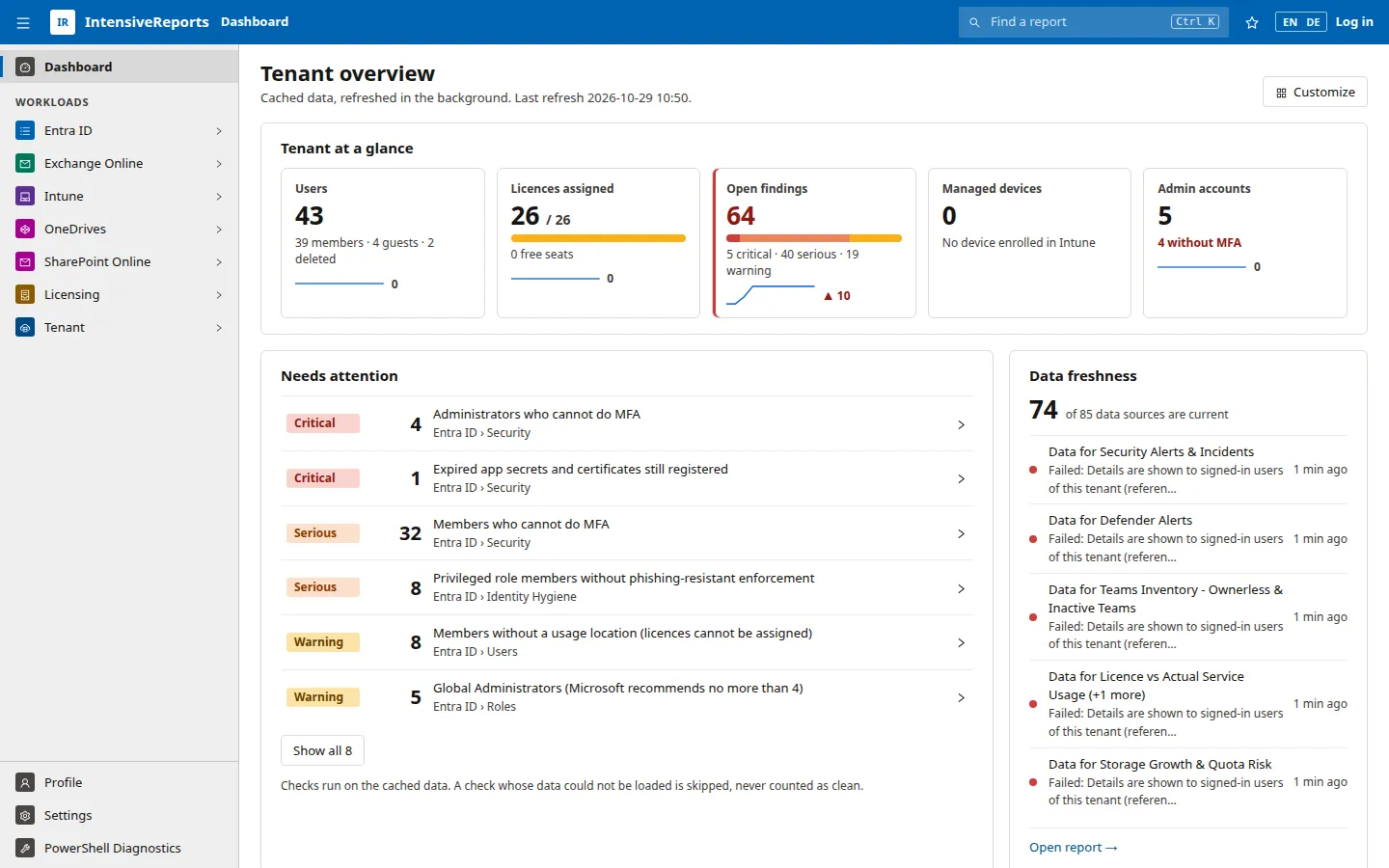
IntensiveReports is a reporting console for Microsoft 365 and Entra ID. It reads your tenant through Microsoft’s own interfaces and turns the results into more than 300 ready-made reports, dashboards and findings. You can export everything to CSV, Excel or PDF, and read it from scripts or AI assistants through an API.
The problems it solves
Section titled “The problems it solves”- Answers are spread over many admin centres. Entra ID, Exchange Online, Intune, SharePoint, Teams, Defender and Purview each have their own portal, their own exports and their own limits. IntensiveReports puts the questions you actually ask into one place, one menu and one table style.
- The portals show settings, not problems. Each report starts from a question, such as “Which administrators cannot do MFA?” or “Which licences are paid for but unused?”, and many reports rate each row by severity. You see what needs work first.
- Some answers need PowerShell or several APIs combined. Mailbox forwarding, SharePoint sharing, Teams policies and licence usage often mean running scripts by hand. IntensiveReports runs them for you and keeps the results.
- Reviews need evidence. Every table exports to CSV, Excel or PDF, with an option to pseudonymise personal data. The dashboard keeps a daily history of its headline numbers, so you can show progress over time.
How it works
Section titled “How it works”IntensiveReports runs on your own Windows server under IIS. It signs in to your tenant with its own Entra app registration and a certificate, and it reads data through Microsoft Graph and the Exchange Online, SharePoint Online and Teams PowerShell modules. It does not change anything in your tenant. Tenant data is kept in the server’s memory and refreshed in the background, so most reports open at once. Slow or expensive reports load when someone opens them, and long scans run only when someone starts them. Nothing is sent to a third party. See Security and privacy for the details and System requirements for what the server needs.
Who it is for
Section titled “Who it is for”Licence managers
Section titled “Licence managers”See what you pay for and what is used. Find unassigned and duplicate licences, accounts that hold a licence but never sign in, add-ons nobody uses and subscriptions that are about to renew. The reclamation and usage reports give you a list of candidates to act on, and the export gives you the evidence for the next true-up.
Tenant administrators
Section titled “Tenant administrators”Keep the directory and the workloads tidy. Find groups without owners, guests who never accepted their invitation, devices that stopped syncing, full mailboxes, inactive sites and broken licence assignments. Each list links straight to the object in the Microsoft admin portal, so fixing it is one click away.
Security teams
Section titled “Security teams”See the weak spots before an attacker does: administrators without phishing-resistant MFA, Conditional Access gaps, risky apps and consents, expiring credentials, external mail forwarding and open sharing. Findings are rated critical, serious or warning, and the dashboard counts them for the whole tenant.
IT leaders
Section titled “IT leaders”Get one view of the tenant’s health. The dashboard shows the size of the tenant, open findings, licence use and device compliance, with 30-day trend lines. The workload pages break this down per area, so you can see where your teams should spend their time.
Auditors
Section titled “Auditors”Get repeatable answers with a clear source. Every report says which question it answers, which data it reads and which licence and permissions it needs. Exports carry the data as it was on screen, and the compliance reports cover retention, eDiscovery holds, audit readiness and data-protection policies.
Where to go next
Section titled “Where to go next”- What it covers: the workloads and example reports.
- Dashboards and findings: how problems are found and counted.
- User guide: how to work with the app.
- System requirements: what you need to install it.